Are you looking for a specific Illuxtron fixture? Or would you like to browse our collections first? Follow the steps below to quickly find the right product from our most popular collections, including part numbers, specifications, and downloads.
Step 1: Choose a collection
Don't know the product name yet? Or would you like to explore a specific collection first? Then start at Illuxtron.com.
- Go to the main menu at the top of the website
- Go to Products
- The menu listing the various collections expands
- Select the collection you want to view

Illuxtron Homepage - Products

Collection Overview
Step 2: Select a product group
In this example, we'll choose the Illuxtron collection. Within each collection, you'll find various product groups, such as:
- Small downlights
- Large downlights
- Trackspots
- Wall lighting
- LED panels
- etc.
Click on the image of the product group or product line you're looking for. In this example, we've chosen the mini downlights.
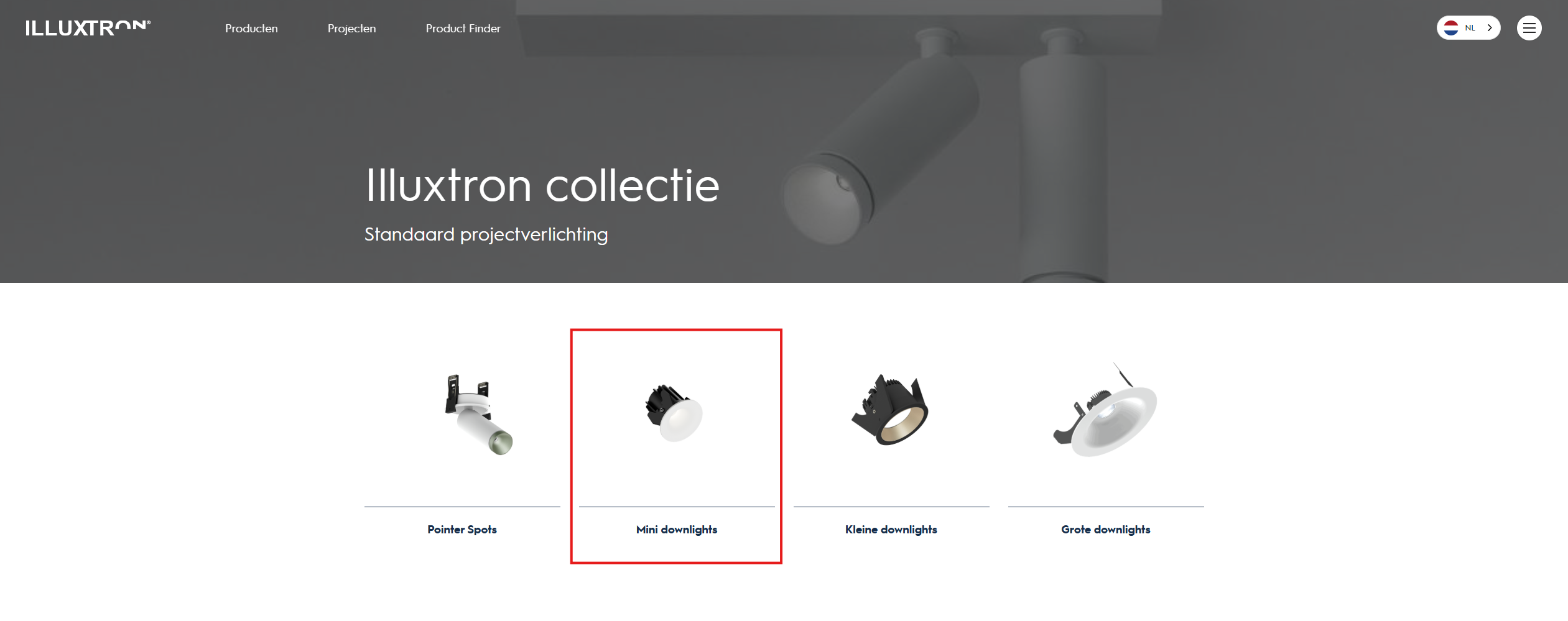
Step 3: Click on the correct type of fixture
Each product group has a specific product family with its own design and application, such as the Linea or Strada.
- Click on the desired fixture within the product group, such as the Linea 50
- You will be automatically redirected to the Product Finder

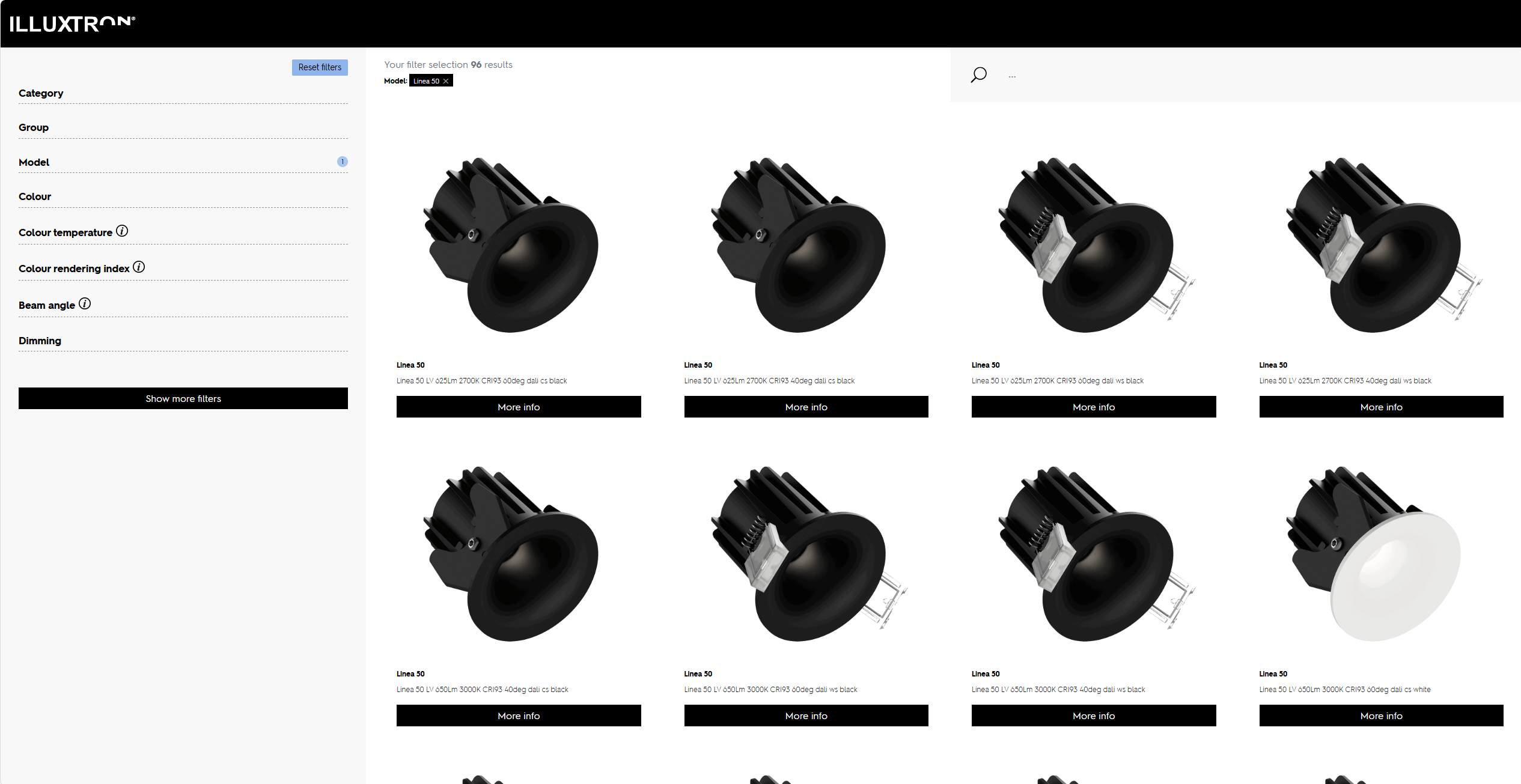
Step 4: Find the right version using filters
In the Product Finder , you can find all versions of the selected fixture. Use the filters to quickly find the version that suits your project.
We recommend the following filters in the order listed below:
- Colour
- Colour temperature
- Colour rendering
- Beam angle
- Dimming
- Type of springs (via "Show more filters")
Please note: Some fixtures are available in multiple lumen outputs. If there are still multiple versions available after applying the filters, choose the version with the desired light output (lumens).
After applying the filters, only the model that meets your desired specifications will remain.
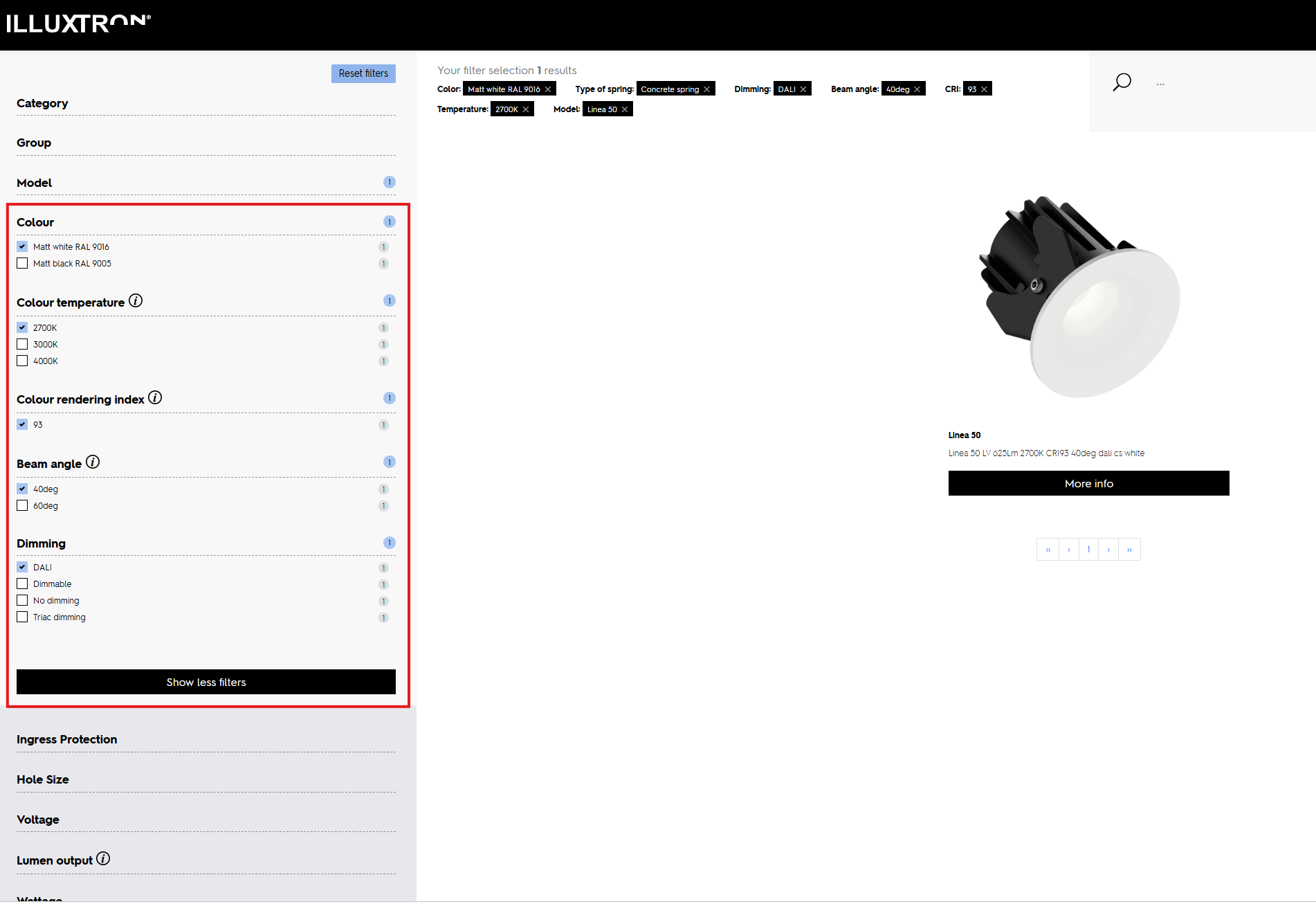
products | Illuxtron- Filters
Step 5: Review the product specifications
Click " More Info " to view all the information about the fixture, including:
- Item number
- Technical Specifications
- Data Sheets
- Downloads
- Images

More Information
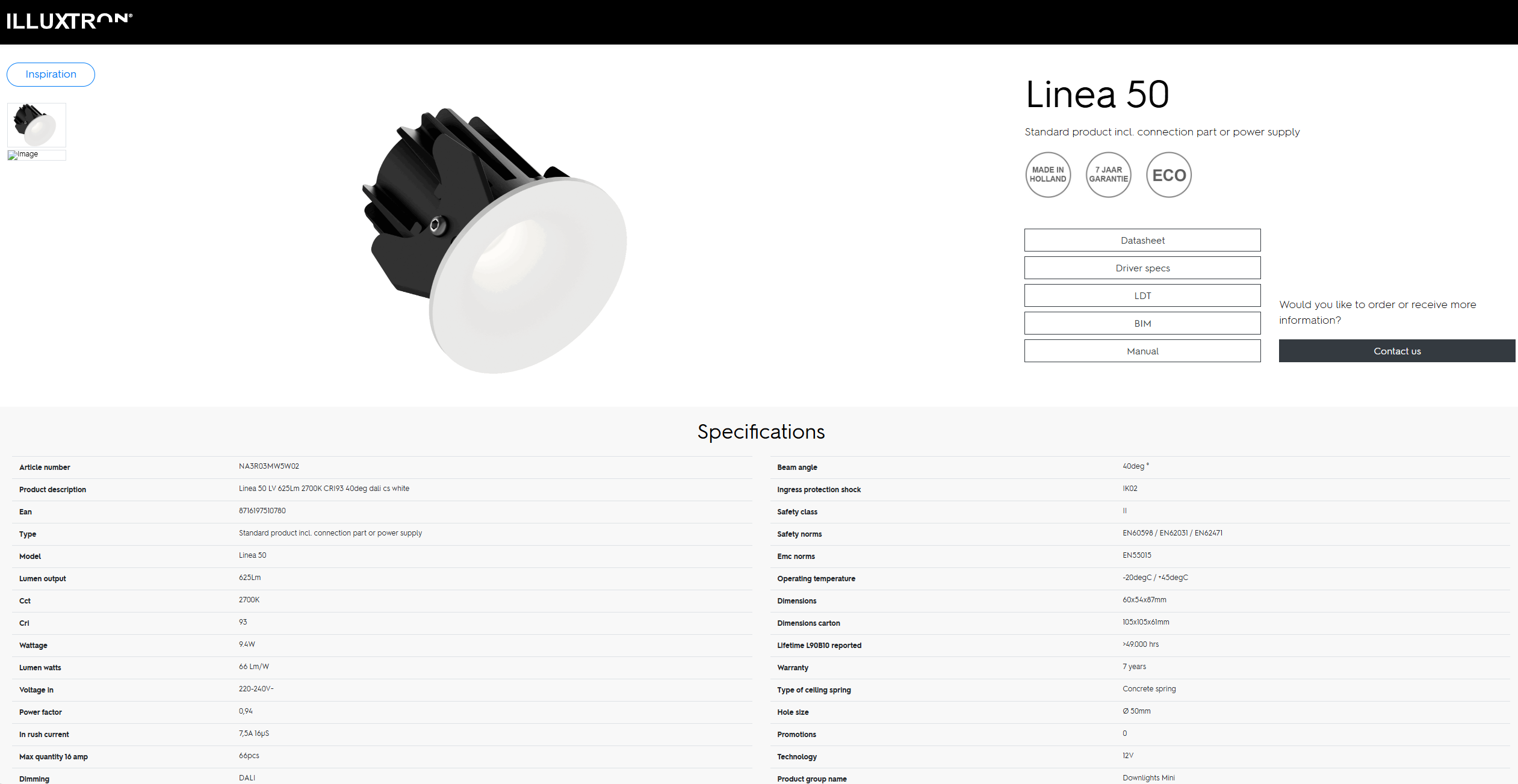
Product Specifications
Step 6: Look up the price of the fixture in the Excel price list
Have you found the right fixture? If so, you can easily look up the product price in the Excel price list you received.
- Open the Excel price list
- Copy the part number of the desired fixture
- Paste this into the search bar at the top
The corresponding price is displayed immediately.
Can't find the right product?
Please feel free to contact our Sales department. We’d be happy to help you find the right product or a suitable custom solution.